
Want to watch Wichita State basketball games? You’re going to need to buy ESPN+
The days of watching every Wichita State men’s basketball game through a traditional cable provider are over for Shocker fans.
WSU fans will need to familiarize themselves with ESPN Plus (ESPN+), the streaming service that will likely show a good chunk of Wichita State’s games this season. In fact, Wednesday’s 6 p.m. season-opener against Oral Roberts and the Shockers’ showdown next Saturday against No. 1 recruit Cade Cunningham and Oklahoma State at Koch Arena can only be watched with an ESPN+ subscription.
With no fans being allowed at Koch Arena through at least December, WSU fans will need to invest $5.99 for a monthly subscription to ESPN+ to watch the Shockers play every game this season. Another option is purchasing the Disney Bundle, which includes Disney+, ESPN+ and Hulu for $12.99 per month.
Starting this season, the American Athletic Conference begins a 12-year contract with ESPN that will send about half of its basketball games on ESPN+. The AAC has not yet announced game times and TV information for its games this season, but it’s likely that at least eight of WSU’s conference games this season will be available only on ESPN+.
But just because ESPN+ is a streaming service doesn’t mean WSU fans can’t still watch the basketball games on television.
ESPN+ can be found in the ESPN app, which is accessible on Roku, Fire TV, Apple TV, Android TV, PlayStation 4 and XBox One. If your television doesn’t have an ESPN app available, you can use your phone to stream the game onto your television through a Google Chromecast. Games will be available for on-demand viewing afterward, as well.
Here are step-by-step guides for fans on how to watch WSU games on ESPN+ this year.
HOW TO WATCH ESPN+ ON A TV
1. Download and open the ESPN app on the streaming device of your choice.
2. Navigate to the Settings gear icon in the top right corner of the screen.
3. Click on the Settings menu.
4. Click on Account Information.
5. Log in to your ESPN Account and you will see an activation code in the white box.
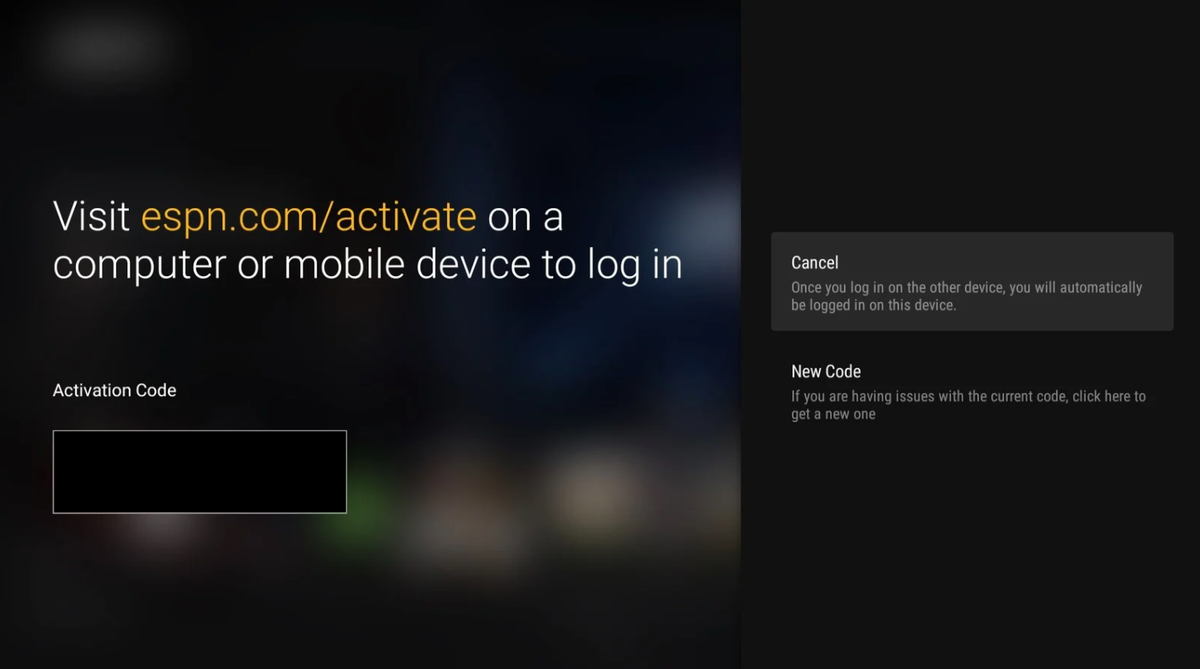
6. Go to https://www.espn.com/activate from your phone, lap top or tablet.
7. Follow the on-screen directions to login with your ESPN+ account.
8. After receiving confirmation on your TV screen, go to the main screen of the ESPN app and look for ESPN+ near the top of the screen.
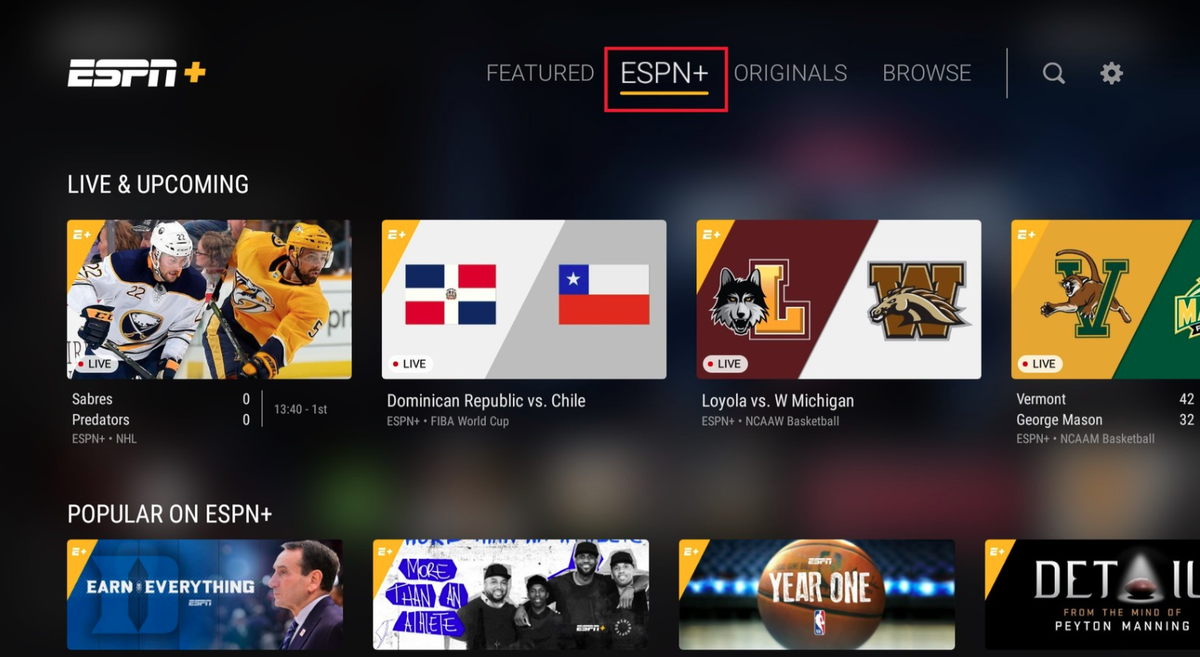
9. If you don’t see the WSU game on the Live & Upcoming screen, you can search “Wichita State” in the top right corner.
How to watch ESPN+ on a phone or tablet
1. Download and open the ESPN app from the App Store or Google Play Store. It’s free.
2. Click on the Settings gear icon in the top right corner.
3. Click on Log In To ESPN Account about halfway down.
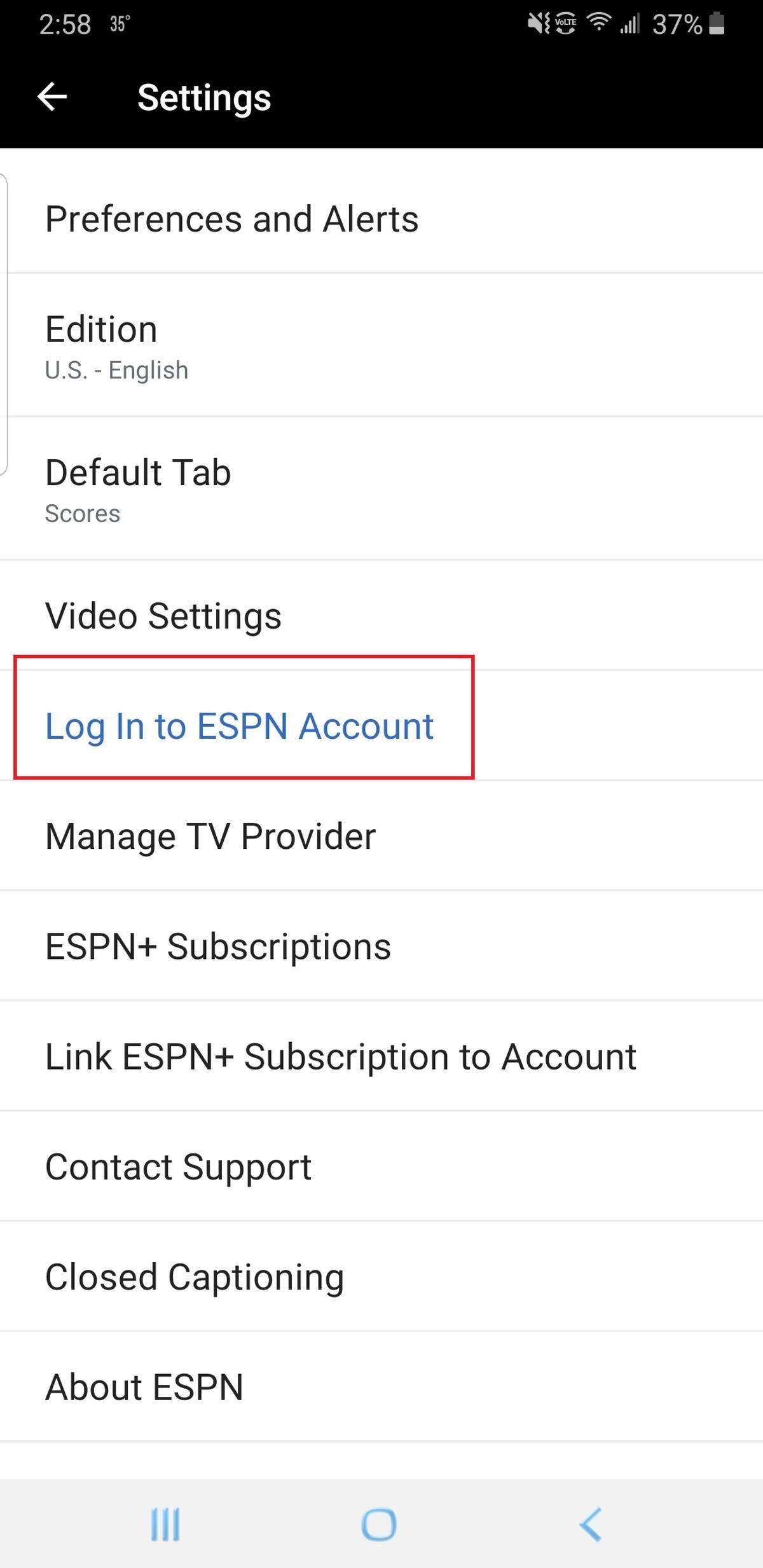
4. Enter username and password for your ESPN+ account.
5. Look for the ESPN+ log on the bottom of the screen and click it.
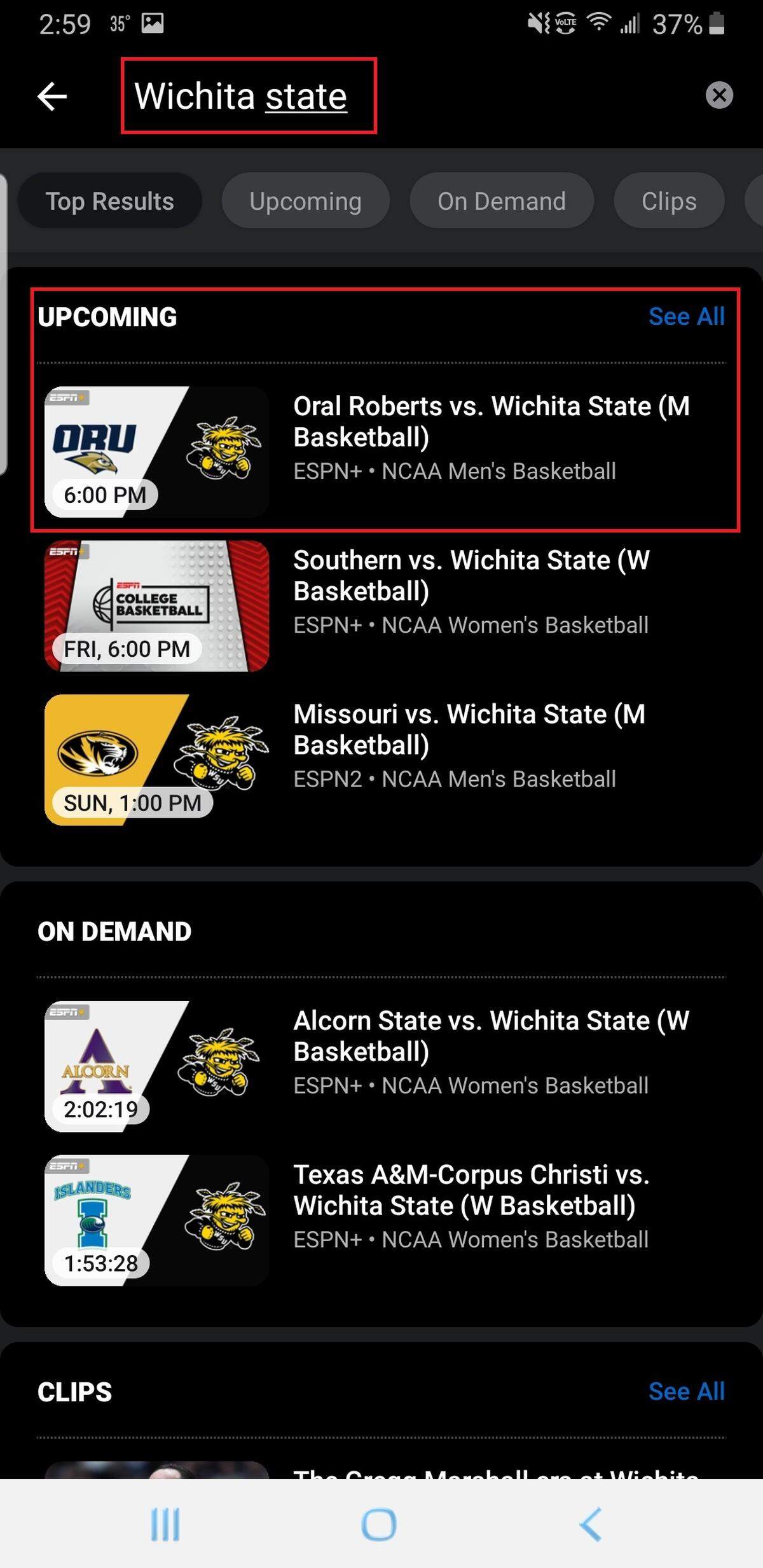
6. If you don’t see the WSU game on the Live & Upcoming screen, you can search “Wichita State” in the top right corner.
This story was originally published December 2, 2020 at 6:00 AM.
.jpg)